Schnittstellenlösung für Medizingeräte

Medizinisches Gerät - professionell verbunden

XDTBox überträgt Gerätewerte, Dokumente und Bilddaten profilbasiert in Systeme mit XDT-/GDT-Schnittstelle. Transparent, wiederverwendbar und mit Diagnose vor der produktiven Ausgabe.

Geräteprofile Mapping-Vorschau RS232 / LAN / Datei Template-Import
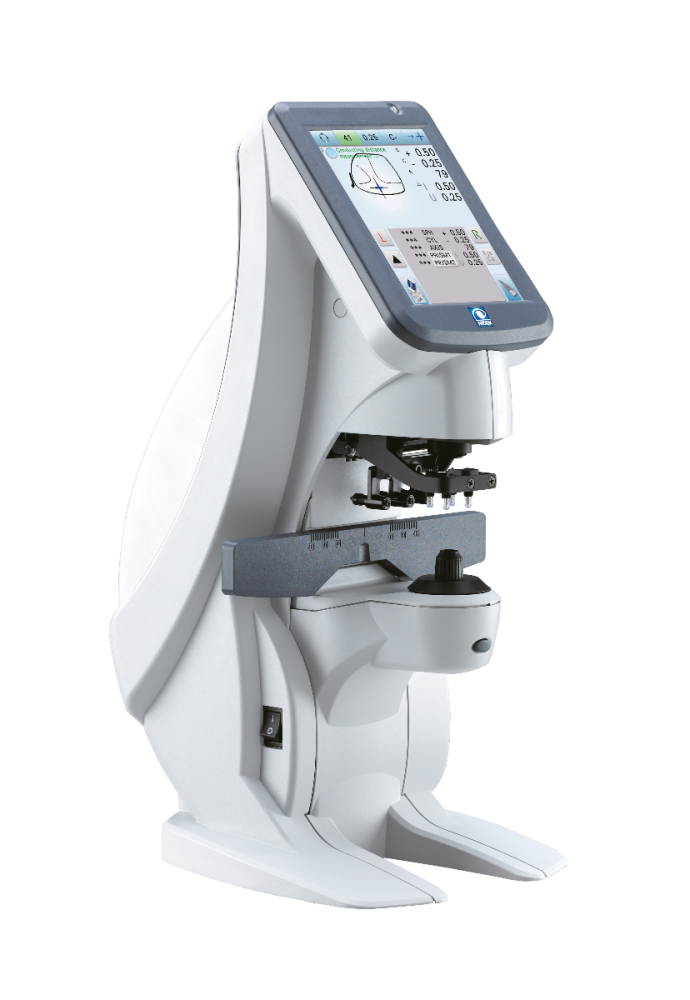
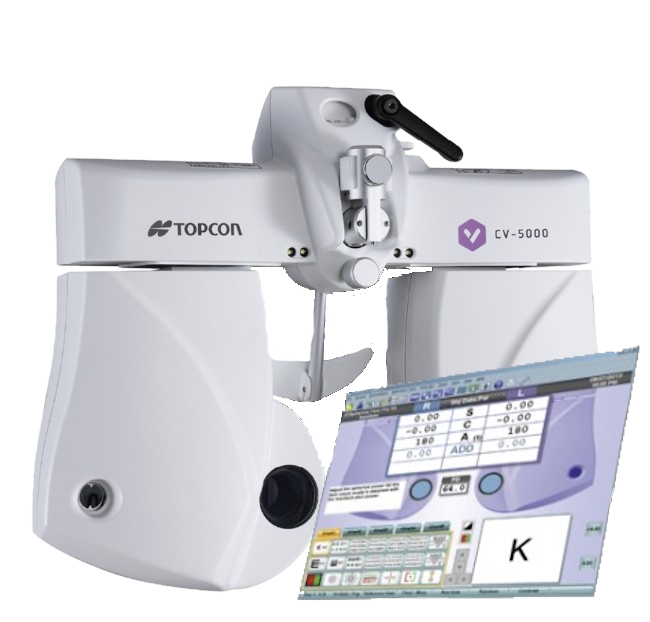
Autorefraktometer Beispielgerät Lensmeter Beispielgerät Phoropter Beispielgerät
Gerätedaten
Parser
Mapping
XDT-Ausgabe

Warum XDTBox

Schnelle Installation, einfache Anwendung und konfigurierbares Ergebnisformat.

Ansicht: Untersuchungssituation

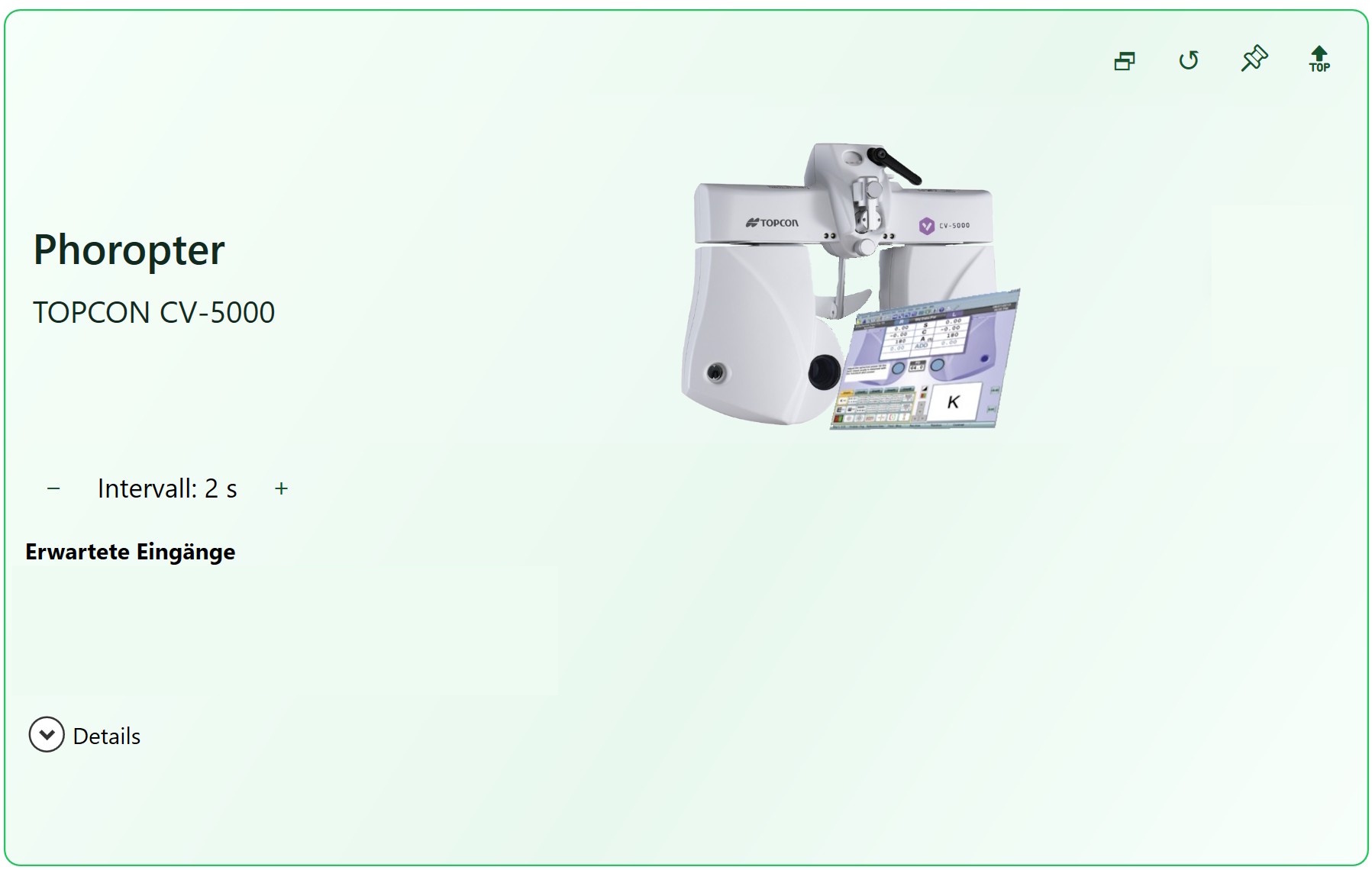
XDTBox Gerätekachel TOPCON CV-5000
AIS-Patientendatei wartet Empfangen
Patienten.gdt
Geräte-Datei wartet auf Gerät Gerätedatei empfangen
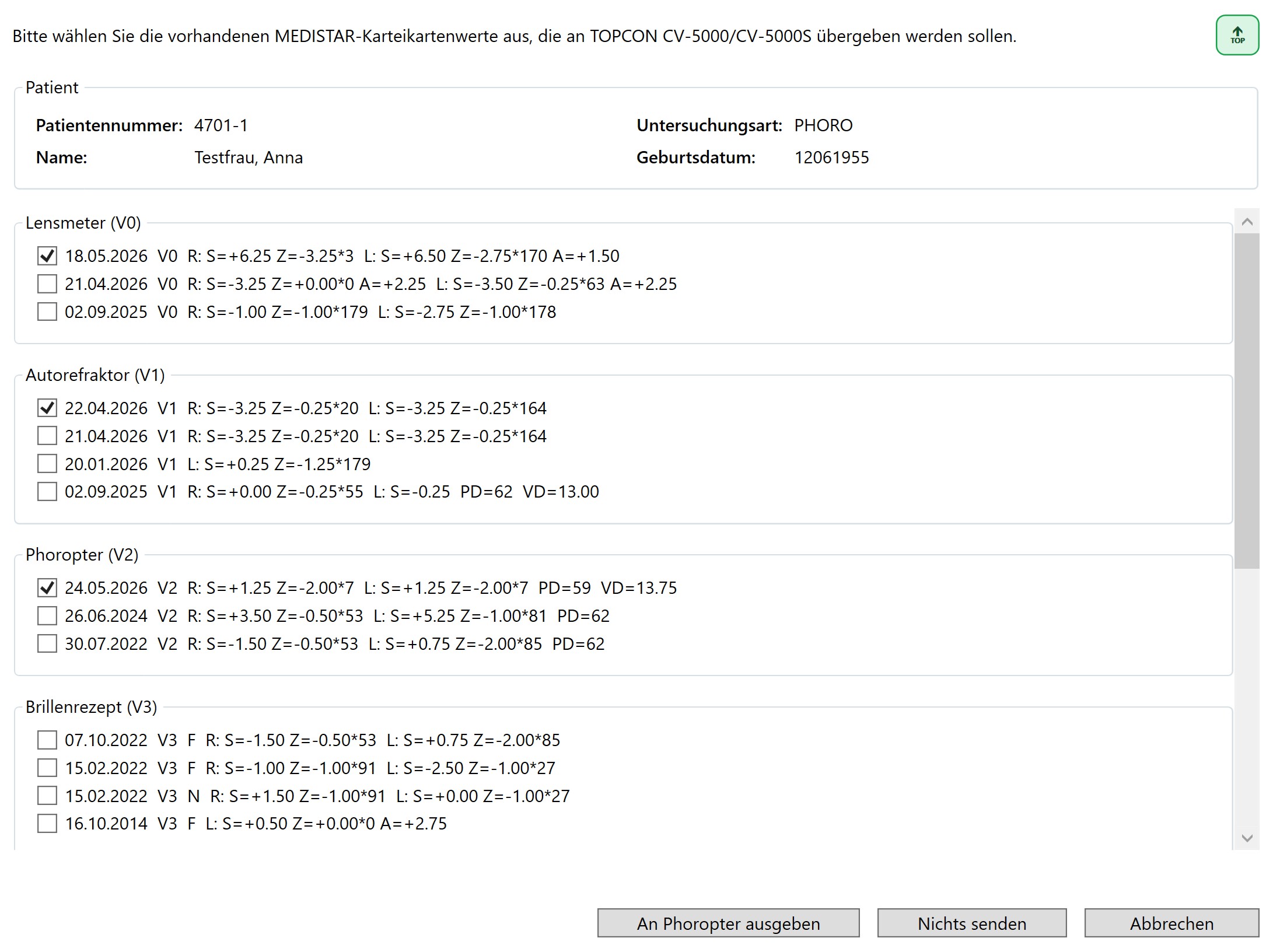
Auswahl vorhandener Karteikartenwerte für den Phoropter

Ansicht: Technisch detailliert

Patient.GDT
01380006302
014810002646
01092063
014921802.10
0460102AIS System
0310103Geräteanbindung GA_XDT
01530004701-1
0173101Testfrau
0133102Anna
017310312061955
0148402PHORO
24.05.2026 V2 L.:S=+ 1.25 Z=- 2.00*  7
24.05.2026 V2 R.:S=+ 1.25 Z=- 2.00*  7 PD= 59 VD= 13.75
CV5000.XML
<?xml version="1.0" encoding="UTF-8" standalone="no"?>
<Ophthalmology xmlns:xsi="http://www.w3.org/2001/XMLSchema-instance" xmlns:nsCommon="http://www.joia.or.jp/standardized/namespaces/Common" xmlns:nsSBJ="http://www.joia.or.jp/standardized/namespaces/SBJ" xsi:schemaLocation="http://www.joia.or.jp/standardized/namespaces/Common Common_schema.xsd http://www.joia.or.jp/standardized/namespaces/SBJ SBJ_schema.xsd">
	<nsCommon:Common>
		<nsCommon:Company>TOPCON</nsCommon:Company>
		<nsCommon:ModelName>CV-5000</nsCommon:ModelName>
		<nsCommon:MachineNo>10111</nsCommon:MachineNo>
		<nsCommon:ROMVersion>2.05.03</nsCommon:ROMVersion>
		<nsCommon:Version>1.2</nsCommon:Version>
		<nsCommon:Date>2013-06-25</nsCommon:Date>
		<nsCommon:Time>17:05:09.656</nsCommon:Time>
		<nsCommon:Patient>
			<nsCommon:No.>1234</nsCommon:No.>
			<nsCommon:ID>1234</nsCommon:ID>
			<nsCommon:FirstName/>
			<nsCommon:MiddleName/>
			<nsCommon:LastName/>
			<nsCommon:Sex/>
			<nsCommon:Age/>
			<nsCommon:DOB/>
			<nsCommon:NameJ1/>
			<nsCommon:NameJ2/>
		</nsCommon:Patient>
		<Duration>00:00:18</Duration>
		<DateFormat>D_M_Y</DateFormat>
	</nsCommon:Common>
	<nsSBJ:Measure type="SBJ">
		<nsSBJ:RefractionTest>
			<nsSBJ:Type No="1">
				<nsSBJ:TypeName>Prescription</nsSBJ:TypeName>
				<nsSBJ:ExamDistance No="1">
					<nsSBJ:Distance unit="cm">500.000</nsSBJ:Distance>
					<nsSBJ:RefractionData>
						<nsSBJ:R>
							<nsSBJ:Sph unit="D">1.25</nsSBJ:Sph>
							<nsSBJ:Cyl unit="D">-2.00</nsSBJ:Cyl>
							<nsSBJ:Axis unit="deg">7</nsSBJ:Axis>
							<nsSBJ:HPri unit="prism"/>
							<nsSBJ:HBase/>
							<nsSBJ:VPri unit="prism"/>
							<nsSBJ:VBase/>
							<nsSBJ:Prism unit="prism"/>
							<nsSBJ:Angle unit="deg"/>
						</nsSBJ:R>
						<nsSBJ:L>
							<nsSBJ:Sph unit="D">1.25</nsSBJ:Sph>
							<nsSBJ:Cyl unit="D">-2.00</nsSBJ:Cyl>
							<nsSBJ:Axis unit="deg">7</nsSBJ:Axis>
							<nsSBJ:HPri unit="prism"/>
							<nsSBJ:HBase/>
							<nsSBJ:VPri unit="prism"/>
							<nsSBJ:VBase/>
							<nsSBJ:Prism unit="prism"/>
							<nsSBJ:Angle unit="deg"/>
						</nsSBJ:L>
						<nsSBJ:VD unit="mm">13.75</nsSBJ:VD>
					</nsSBJ:RefractionData>
					<nsSBJ:PD>
						<nsSBJ:R unit="mm">29.50</nsSBJ:R>
						<nsSBJ:L unit="mm">29.50</nsSBJ:L>
						<nsSBJ:B unit="mm">59.00</nsSBJ:B>
					</nsSBJ:PD>
				</nsSBJ:ExamDistance>
			</nsSBJ:Type>
			<nsSBJ:Type No="2">
				<nsSBJ:TypeName>Full Correction</nsSBJ:TypeName>
				<nsSBJ:ExamDistance No="1">
					<nsSBJ:Distance unit="cm">500.000</nsSBJ:Distance>
					<nsSBJ:RefractionData>
						<nsSBJ:R>
							<nsSBJ:Sph unit="D">1.25</nsSBJ:Sph>
							<nsSBJ:Cyl unit="D">-2.00</nsSBJ:Cyl>
							<nsSBJ:Axis unit="deg">7</nsSBJ:Axis>
							<nsSBJ:HPri unit="prism"/>
							<nsSBJ:HBase/>
							<nsSBJ:VPri unit="prism"/>
							<nsSBJ:VBase/>
							<nsSBJ:Prism unit="prism"/>
							<nsSBJ:Angle unit="deg"/>
						</nsSBJ:R>
						<nsSBJ:L>
							<nsSBJ:Sph unit="D">1.25</nsSBJ:Sph>
							<nsSBJ:Cyl unit="D">-2.00</nsSBJ:Cyl>
							<nsSBJ:Axis unit="deg">7</nsSBJ:Axis>
							<nsSBJ:HPri unit="prism"/>
							<nsSBJ:HBase/>
							<nsSBJ:VPri unit="prism"/>
							<nsSBJ:VBase/>
							<nsSBJ:Prism unit="prism"/>
							<nsSBJ:Angle unit="deg"/>
						</nsSBJ:L>
						<nsSBJ:VD unit="mm">13.75</nsSBJ:VD>
					</nsSBJ:RefractionData>
					<nsSBJ:PD>
						<nsSBJ:R unit="mm">29.50</nsSBJ:R>
						<nsSBJ:L unit="mm">29.50</nsSBJ:L>
						<nsSBJ:B unit="mm">59.00</nsSBJ:B>
					</nsSBJ:PD>
				</nsSBJ:ExamDistance>
			</nsSBJ:Type>
		</nsSBJ:RefractionTest>
	</nsSBJ:Measure>
</Ophthalmology>
Parser arbeitet
01380006310
01530004701-1
0173101Testfrau
0133102Anna
017310312061955
0148402PHORO
0426228Phoropter finaler Verordnungswert
0506228R.:S=+ 1.25 Z=- 2.00*  7 PD= 59 VD= 13.75
0336228L.:S=+ 1.25 Z=- 2.00*  7
0476227Phoropter Maximalwert (Vollkorrektion)
0506227R.:S=+ 1.25 Z=- 2.00*  7 PD= 59 VD= 13.75
0336227L.:S=+ 1.25 Z=- 2.00*  7

XDT-Baukasten

Entwerfen, testen, prüfen - ohne produktive Dateien zu schreiben.

Der Baukasten ist die Test- und Diagnoseoberfläche für Profile. Er lädt AIS-Testdaten, Gerätedaten und Exportprofile, zeigt Rohdaten und Vorschau und warnt bei Modellabweichungen.

  • Rohdaten, fachliche Ansicht, Roh-XDT und Diagnose nebeneinander prüfen
  • Mapping-/Exportregeln als Arbeitskopie bearbeiten
  • Ausgaben für Händler und Techniker verständlicher machen, etwa mit Überschriften oder ausgeschriebenen Messeinheiten
  • Geräteausgabe für bidirektionale Workflows vorab kontrollieren
XDT-Baukasten

AIS Datei

01380006302
014810002646
01092063
014921802.10
0460102AIS System
0310103Geräteanbindung GA_XDT
0140132x2.13
01530004701-1
0173101Testfrau
0133102Anna
017310312061955
019310691207 Lauf
0223107Marktplatz 11
01031081
01031102
011413100
011412300
0148402PHORO
PHOROPTER
22.04.2026 V cc: R = 0,7 L = 0,8
21.04.2026 V cc: R = 1 L = 1
17.07.2024 V cc: R = 0,05 L = 0,05 // sc  aGlbn, Schober oB
18.06.2024 V f sc LA 0,2
05.03.2020 V cc: R = 1 L = 1
27.02.2019 V cc: R = 1   L = 1
23.06.2014 V cc: R = 0,20 L = 1 // ec
18.05.2026 V0 L.:S=+ 6.50 Z=- 2.75*170 A=+ 1.50
18.05.2026 V0 R.:S=+ 6.25 Z=- 3.25*  3
18.05.2026 V0 XD:WENDELSTEIN_LM7.LM7
21.04.2026 V0 L.:S=- 3.50 Z=- 0.25* 63           A=+ 2.25
21.04.2026 V0 R.:S=- 3.25 Z=+ 0.00*  0           A=+ 2.25        GSB
02.09.2025 V0   L.:S=- 2.75 Z=- 1.00*178
02.09.2025 V0   R.:S=- 1.00 Z=- 1.00*179 P= 0.25 O  0.25 D
22.04.2026 V1 L.:S=- 3.25 Z=- 0.25*164
22.04.2026 V1 R.:S=- 3.25 Z=- 0.25* 20
21.04.2026 V1 L.:S=- 3.25 Z=- 0.25*164
21.04.2026 V1 R.:S=- 3.25 Z=- 0.25* 20
20.01.2026 V1 L.:S=+ 0.25 Z=- 1.25*179
02.09.2025 V1   L.:S=- 0.25
02.09.2025 V1   R.:S=+ 0.00 Z=- 0.25* 55 PD= 62 VD=13.00
24.05.2026 V2 L.:S=+ 1.25 Z=- 2.00*  7
24.05.2026 V2 R.:S=+ 1.25 Z=- 2.00*  7 PD= 59 VD= 13.75
24.05.2026 V2 Phoropter finaler Verordnungswert
26.06.2024 V2   L.:S=+ 5.25 Z=- 1.00* 81
26.06.2024 V2   R.:S=+ 3.50 Z=- 0.50* 53 PD= 62
30.07.2022 V2   L.:S=+ 0.75 Z=- 2.00* 85
30.07.2022 V2   R.:S=- 1.50 Z=- 0.50* 53 PD= 62
07.10.2022 V3 F L.:S=+ 0.75 Z=- 2.00* 85
07.10.2022 V3 F R.:S=- 1.50 Z=- 0.50* 53
15.02.2022 V3 N L.:S=+ 0.00 Z=- 1.00* 27
15.02.2022 V3 N R.:S=+ 1.50 Z=- 1.00* 91
15.02.2022 V3 F L.:S=- 2.50 Z=- 1.00* 27
15.02.2022 V3 F R.:S=- 1.00 Z=- 1.00* 91
16.10.2014 V3 F L.:S=+ 0.50 Z=+ 0.00*  0                     A=+ 2.75
20.02.2015 V7   R: ra=-2.25*172               //  L: ra=-1.50*  7
20.02.2015 V7   R: AV= 7.45                   //  L: AV= 7.45
20.02.2015 V7   R: R1= 7.62*172 R2= 7.27* 82  //  L: R1= 7.57*  7 R2= 7.33* 97
20.02.2015 V7   R: ra=-2.25*172               //  L: ra=-1.50*  7
20.02.2015 V7   R: AV= 7.45                   //  L: AV= 7.45
20.02.2015 V7   R: R1= 7.62*172 R2= 7.27* 82  //  L: R1= 7.57*  7 R2= 7.33* 97
20.02.2015 V7   R: ra=-2.25*172               //  L: ra=-1.50*  7
21.08.2018 V9 Aufnahme Heidelberg Eye-Explorer
18.05.2026 Y PR: Gemessen = 18.0 mmHg;
18.05.2026 Y PL: Param1 = 550um; Param2 = 0.0400;
02.12.2021 P R = 17 15 16 [16] // L = 16 ERR ERR 16 17 [16] mmHg 14:03
18.05.2026 Y PR: Gemessen = 18.0 mmHg;

Gerätedatei

<?xml version="1.0" encoding="UTF-8" standalone="no"?>
<Ophthalmology xmlns:xsi="http://www.w3.org/2001/XMLSchema-instance" xmlns:nsCommon="http://www.joia.or.jp/standardized/namespaces/Common" xmlns:nsSBJ="http://www.joia.or.jp/standardized/namespaces/SBJ" xsi:schemaLocation="http://www.joia.or.jp/standardized/namespaces/Common Common_schema.xsd http://www.joia.or.jp/standardized/namespaces/SBJ SBJ_schema.xsd">
	<nsCommon:Common>
		<nsCommon:Company>TOPCON</nsCommon:Company>
		<nsCommon:ModelName>CV-5000</nsCommon:ModelName>
		<nsCommon:MachineNo>10111</nsCommon:MachineNo>
		<nsCommon:ROMVersion>2.05.03</nsCommon:ROMVersion>
		<nsCommon:Version>1.2</nsCommon:Version>
		<nsCommon:Date>2013-06-25</nsCommon:Date>
		<nsCommon:Time>17:05:09.656</nsCommon:Time>
		<nsCommon:Patient>
			<nsCommon:No.>1234</nsCommon:No.>
			<nsCommon:ID>1234</nsCommon:ID>
			<nsCommon:FirstName/>
			<nsCommon:MiddleName/>
			<nsCommon:LastName/>
			<nsCommon:Sex/>
			<nsCommon:Age/>
			<nsCommon:DOB/>
			<nsCommon:NameJ1/>
			<nsCommon:NameJ2/>
		</nsCommon:Patient>
		<Duration>00:00:18</Duration>
		<DateFormat>D_M_Y</DateFormat>
	</nsCommon:Common>
	<nsSBJ:Measure type="SBJ">
		<nsSBJ:RefractionTest>
			<nsSBJ:Type No="1">
				<nsSBJ:TypeName>Prescription</nsSBJ:TypeName>
				<nsSBJ:ExamDistance No="1">
					<nsSBJ:Distance unit="cm">500.000</nsSBJ:Distance>
					<nsSBJ:RefractionData>
						<nsSBJ:R>
							<nsSBJ:Sph unit="D">1.25</nsSBJ:Sph>
							<nsSBJ:Cyl unit="D">-2.00</nsSBJ:Cyl>
							<nsSBJ:Axis unit="deg">7</nsSBJ:Axis>
							<nsSBJ:HPri unit="prism"/>
							<nsSBJ:HBase/>
							<nsSBJ:VPri unit="prism"/>
							<nsSBJ:VBase/>
							<nsSBJ:Prism unit="prism"/>
							<nsSBJ:Angle unit="deg"/>
						</nsSBJ:R>
						<nsSBJ:L>
							<nsSBJ:Sph unit="D">1.25</nsSBJ:Sph>
							<nsSBJ:Cyl unit="D">-2.00</nsSBJ:Cyl>
							<nsSBJ:Axis unit="deg">7</nsSBJ:Axis>
							<nsSBJ:HPri unit="prism"/>
							<nsSBJ:HBase/>
							<nsSBJ:VPri unit="prism"/>
							<nsSBJ:VBase/>
							<nsSBJ:Prism unit="prism"/>
							<nsSBJ:Angle unit="deg"/>
						</nsSBJ:L>
						<nsSBJ:VD unit="mm">13.75</nsSBJ:VD>
					</nsSBJ:RefractionData>
					<nsSBJ:PD>
						<nsSBJ:R unit="mm">29.50</nsSBJ:R>
						<nsSBJ:L unit="mm">29.50</nsSBJ:L>
						<nsSBJ:B unit="mm">59.00</nsSBJ:B>
					</nsSBJ:PD>
				</nsSBJ:ExamDistance>
			</nsSBJ:Type>
			<nsSBJ:Type No="2">
				<nsSBJ:TypeName>Full Correction</nsSBJ:TypeName>
				<nsSBJ:ExamDistance No="1">
					<nsSBJ:Distance unit="cm">500.000</nsSBJ:Distance>
					<nsSBJ:RefractionData>
						<nsSBJ:R>
							<nsSBJ:Sph unit="D">1.25</nsSBJ:Sph>
							<nsSBJ:Cyl unit="D">-2.00</nsSBJ:Cyl>
							<nsSBJ:Axis unit="deg">7</nsSBJ:Axis>
							<nsSBJ:HPri unit="prism"/>
							<nsSBJ:HBase/>
							<nsSBJ:VPri unit="prism"/>
							<nsSBJ:VBase/>
							<nsSBJ:Prism unit="prism"/>
							<nsSBJ:Angle unit="deg"/>
						</nsSBJ:R>
						<nsSBJ:L>
							<nsSBJ:Sph unit="D">1.25</nsSBJ:Sph>
							<nsSBJ:Cyl unit="D">-2.00</nsSBJ:Cyl>
							<nsSBJ:Axis unit="deg">7</nsSBJ:Axis>
							<nsSBJ:HPri unit="prism"/>
							<nsSBJ:HBase/>
							<nsSBJ:VPri unit="prism"/>
							<nsSBJ:VBase/>
							<nsSBJ:Prism unit="prism"/>
							<nsSBJ:Angle unit="deg"/>
						</nsSBJ:L>
						<nsSBJ:VD unit="mm">13.75</nsSBJ:VD>
					</nsSBJ:RefractionData>
					<nsSBJ:PD>
						<nsSBJ:R unit="mm">29.50</nsSBJ:R>
						<nsSBJ:L unit="mm">29.50</nsSBJ:L>
						<nsSBJ:B unit="mm">59.00</nsSBJ:B>
					</nsSBJ:PD>
				</nsSBJ:ExamDistance>
			</nsSBJ:Type>
		</nsSBJ:RefractionTest>
	</nsSBJ:Measure>
</Ophthalmology>

Ausgabedatei

01380006310
01530004701-1
0173101Testfrau
0133102Anna
017310312061955
0148402PHORO
0426228Phoropter finaler Verordnungswert
0506228R.:S=+ 1.25 Z=- 2.00*  7 PD= 59 VD= 13.75
0336228L.:S=+ 1.25 Z=- 2.00*  7
0476227Phoropter Maximalwert (Vollkorrektion)
0506227R.:S=+ 1.25 Z=- 2.00*  7 PD= 59 VD= 13.75
0336227L.:S=+ 1.25 Z=- 2.00*  7

Ansicht im Arztinformationssystem

Phoropter finaler Verordnungswert
S=+ 1.25 Z=- 2.00*  7 PD= 59 VD= 13.75
L.:S=+ 1.25 Z=- 2.00*  7

Phoropter Maximalwert (Vollkorrektion)
R.:S=+ 1.25 Z=- 2.00*  7 PD= 59 VD= 13.75
L.:S=+ 1.25 Z=- 2.00*  7

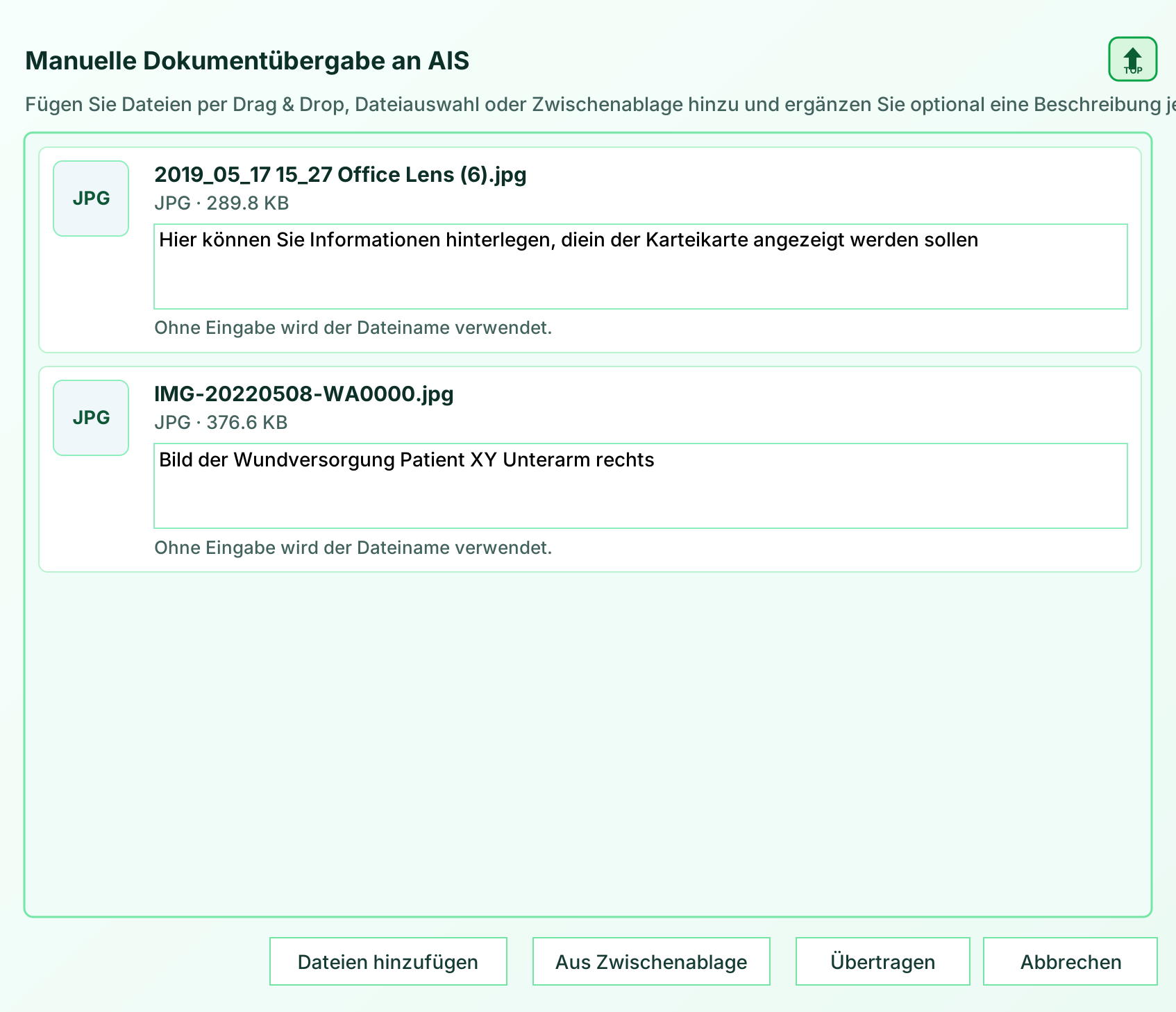
Dokumentenanbindung

Beliebige Dokumente per Gerätekachel in die Karteikarte übernehmen.

Für manuelle Dokumentenübergaben öffnet XDTBox eine eigene Gerätekachel. Dateien können per Maus, Copy & Paste oder Dateisuche hinzugefügt, optional beschrieben und anschließend per XDT-Hyperlink an die Karteikarte übergeben werden.

Eine ähnliche automatisierte Gerätekachel gibt es für Geräte, die keine XML-Dateien liefern, sondern Bilder, PDFs oder andere Anhänge bereitstellen.

Screenshot der manuellen Dokumentübergabe in XDTBox

Geräteklassen und Beispiele

Vorbereitet für Messwerte, Bilder und Dokumente.

Die abgebildeten Geräte zeigen nur einige Beispiele bereits angebundener Geräteklassen. Weitere Geräte können auf Anfrage zeitnah integriert und als importierbares Template bereitgestellt werden.

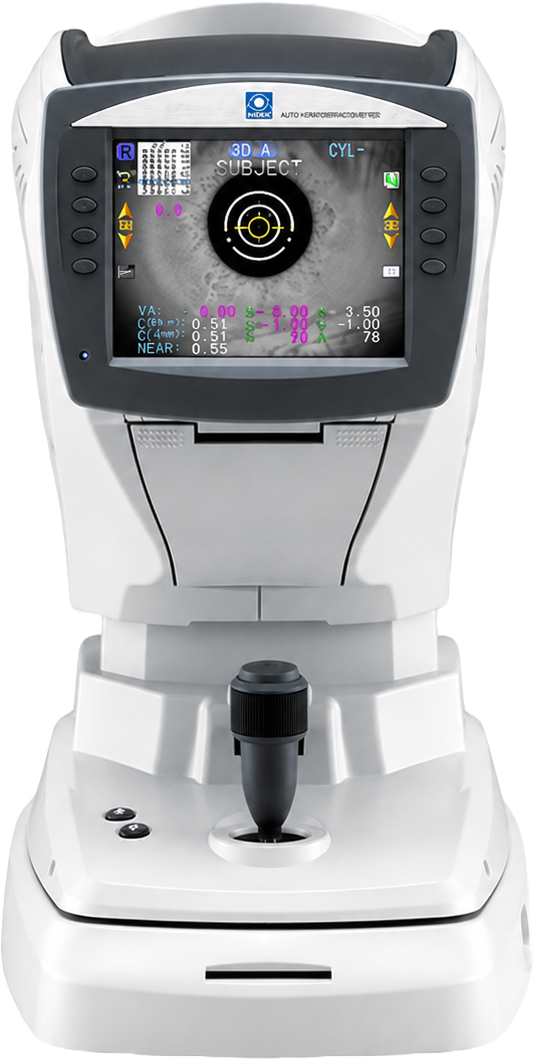
Autorefraktometer Beispiel

Autorefraktometer

AR-/Refraktionswerte aus Datei-, XML- oder seriellen Workflows.

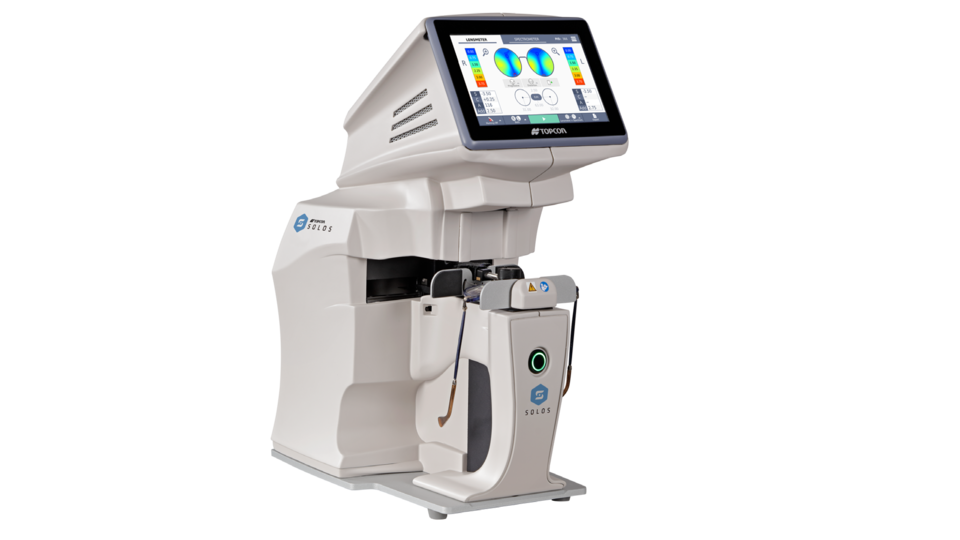
Lensmeter Beispiel

Lensmeter

Scheitelbrechwerte mit prüfbarer XDT-Zuordnung.

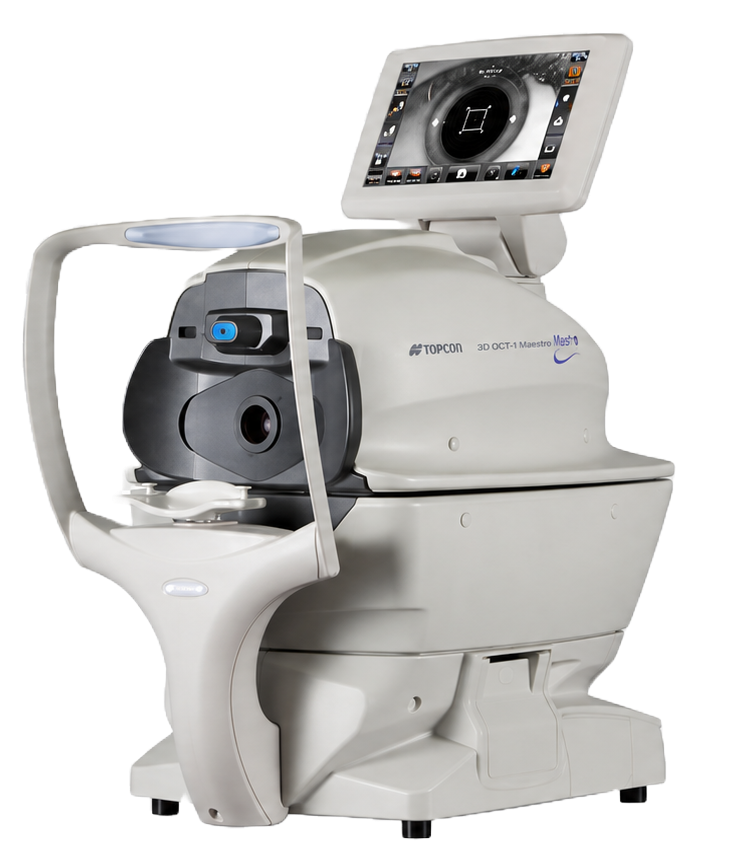
Kombiniertes Messgerät Beispiel

Kombinierte Messgeräte

Messwertpakete aus mehreren Geräteteilen kontrolliert übertragen.

Tonometer Beispiel

Tonometer

IOP- und Zusatzwerte mit Diagnose bei Schnittstellenproblemen.

Phoropter Beispiel

Phoropter

Bidirektionale CV-/Phoropter-Workflows und Geräteausgaben.

Dokumentübergabe Symbol

Dokumentübergabe

PDF, DOCX, DICOM, JPG, PNG oder TIFF per XDT-Hyperlink in die Karteikarte übernehmen und direkt öffnen.

Für Partner gebaut

Eine gemeinsame Basis für Einrichtung, Service und Integration.

Techniker in der Praxis

Schnellere Einrichtung, wiederverwendbare Profile und weniger Sonderfälle pro Praxis. Rohdaten, COM-Port-Diagnose, XDT-Vorschau und klare Fehlerhinweise direkt vor Ort. Anpassung der Ausgabe individuell nach Praxiswunsch.

Gerätehersteller

Definierte Integrationswege, Parser-/Writer-Erweiterbarkeit und Testumgebung für Abnahmen.

AIS-/PVS-Hersteller

Saubere XDT-/GDT-Übergabe ohne proprietäre Einzelintegration für jedes Gerät.

Integration auf Anfrage

Neue Geräte werden als wiederverwendbare Schnittstelle umgesetzt.

Wenn ein Gerät noch nicht angebunden ist, kann die passende Schnittstelle bei uns beauftragt werden. Sprechen Sie uns gerne einfach an, per Mail oder Telefon. Sie haben eine Ausgabe Datei vom Gerät (Beispiel.XML) und wissen auch wie das Ergebnis im AIS aussehen soll? Perfekt, dann lassen Sie uns starten! Praktisch sind auch immer Schnittstellebeschreibungen vom Hersteller.

Aber auch in allen anderen Fällen, finden wir ein Lösung und binden das Medizingerät an.

Kontakt

Technische Demo, Partneranfrage oder Geräteintegration starten.